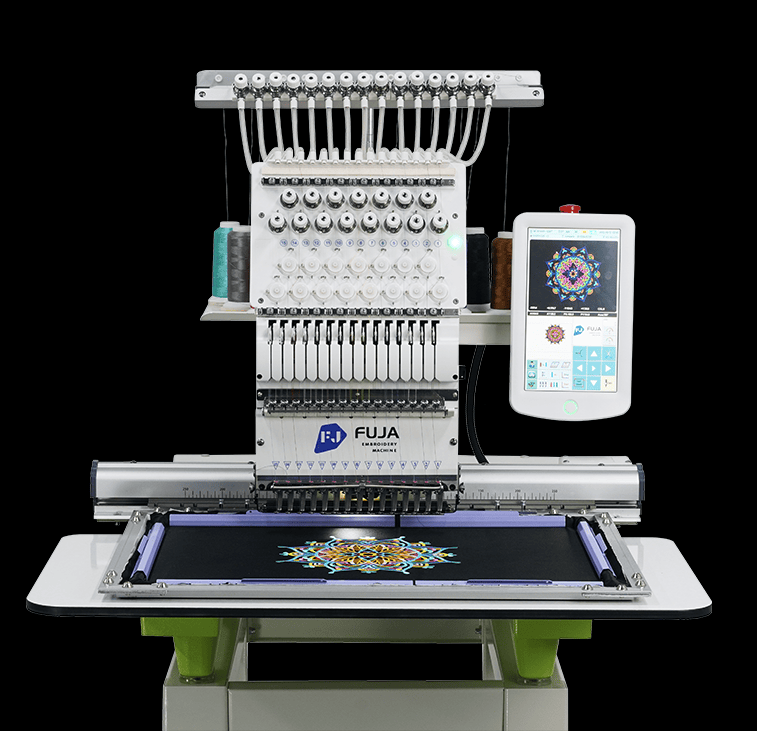
Compare machines using the products, designs and order sizes you expect to handle. Check the exact model documents and relevant samples. Use consistent job conditions when comparing results.
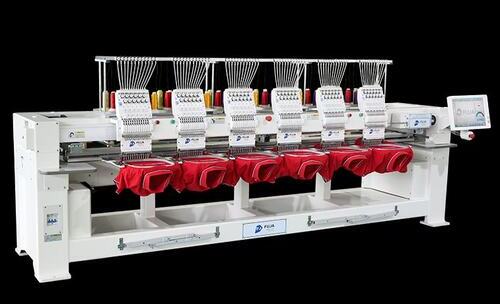
Basic Machine Types
Home and commercial labels describe broad groups. They do not prove speed, working area, ease of use or service life. Compare the exact model, controls, frames and planned workload.
What to Compare
Use the same job requirements when reviewing these points:
- Stitch results: Inspect placement, flatness, coverage and lettering on samples made with relevant materials.
- Machine fit: Check rated speed, usable working area, dimensions and site requirements for the exact model.
- Controls: Ask to see file loading, previews and the editing functions supported by the exact controller.
- Care and service: Review operator tasks, parts identification, contact channels and written support terms.
Key Selection Questions
Check how the machine fits your largest regular design, color needs, file workflow and site. Ask for missing details before ordering.
1. Usable Working Area
Compare the usable field with your largest regular design. Confirm hoop clearance and the space needed for the product. Do not use one advertised field size as the limit for every machine in a family.
2. Needle Count and Colors
Needle count shows how many thread colors can stay loaded. It is different from the stitch count in a design file. Compare it with your regular colors and the thread changes needed for each order.
3. Rated Speed and Actual Output
Check rated maximum speed in the exact model sheet. Plan output from full job cycles, including preparation, stops and handling. A higher rated speed does not by itself prove higher finished output.
4. Automatic Functions
Ask which trimming, color change and other automatic functions are included. Check them on the exact controller and configuration. Do not assume automatic tension control or the same functions on every model.
5. Files and Accessories
Confirm supported file formats and transfer methods for the controller. Check the frames and accessories needed for your products. Ask which updates or options apply to the exact equipment and whether they cost extra.
Maintenance and Service
Use the exact model manual to plan operator care and professional service. Review these tasks before using the equipment:
- Cleaning: Follow the approved shutdown and cleaning method. Clean only the areas the manual allows operators to access.
- Lubrication: Use the stated product, points and interval. More oil is not a substitute for following the manual.
- Updates: Confirm official compatibility, instructions and backups before changing controller software or firmware.
- Service: Record fault messages and symptoms. Ask qualified service staff to handle tasks outside the operator manual.
Features to Check Before Buying
Review documented functions for the model available to you. Future features or broad technology claims should not decide today’s purchase.
1. Automatic Settings
Ask which settings the controller can manage and which remain operator tasks. See the process on a relevant sample rather than assuming the machine can prepare every design automatically.
2. Custom Orders
Check how different products and design changes affect setup. Compare the frames, file preparation and operator time needed for your own custom orders.
3. Energy and Material Use
Ask for power requirements in the model documents. Estimate material use from the design and sample. Do not assume lower energy use or waste without comparable measurements.
4. Network and Transfer Functions
Confirm whether the controller supports network transfer, monitoring or other listed functions. These are different tasks. Do not assume remote operation is available or safe from a network label alone.
Discuss Your Requirements with FUJA
Share your products, largest design, materials, order sizes and destination. Ask FUJA for a model review, relevant samples and written quotation. Confirm the exact equipment and support terms before purchasing.